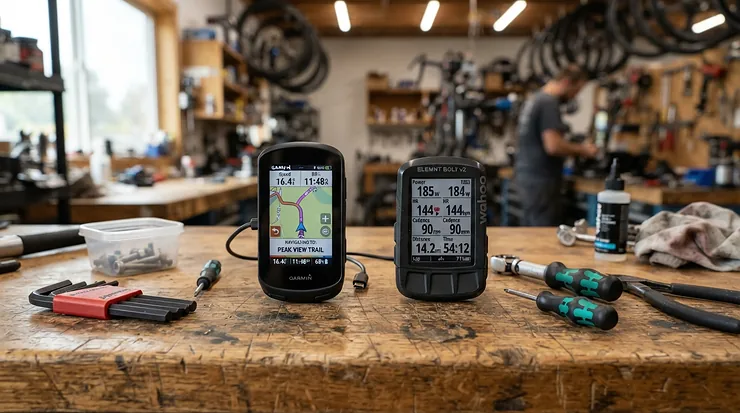
A Canadian retailer’s spec page says the Bafang DPC-18 can be switched between three, five and nine assist levels, while the manual for the KT-LCD3 describes five gears plus a zero. Both are ebike displays sold for conversion kits, and the gap between them shows why screen size is the wrong place to start. What a display can do is set by the controller behind it: the protocol it speaks, the voltage range it tolerates and the limits stored inside. Color and glass come last.
Anyone reading ebike displays reviews for a 2027 replacement or conversion is really asking three things: will it plug in, how many assist levels does it give, and can the bike be held to 25 km/h? The findings here rest on maker manuals, retailer spec pages and long owner threads, and prices stay in broad ranges because no live Amazon listing was checked. Where sources disagree, both versions are given.
Match the plug and protocol first, then worry about the screen
The method is short: identify the controller, confirm the voltage, choose the number of assist levels, set one speed cap, and only then compare screens. Any list of the best ebike displays starts with compatibility, because a flawless screen is useless on the wrong protocol.
Read the connector and the controller label
Letrigo’s comparison guide says a display generally has to match the bike’s brand, controller protocol, connector pinout, voltage and firmware. UART is the simpler protocol found on many budget and DIY bikes; CAN Bus shows up on many premium ones, and the guide notes that some CAN systems are closed to third-party displays. Thewearify’s roundup gives a physical tell: UART typically uses a 5-pin female plug, while CAN uses a 5-pin male plug with a different keying notch.
Brand families matter inside the same plug shape. One poster on the Electric Bike Review forum reports that KD controllers pair with KD displays and LT controllers with the KT-LCD8H, and that the two are not interchangeable. Amazon’s search results for displays for ebike conversions are crowded with color units sold as “UART No. 2 protocol” in 24V to 60V ranges, which is a protocol label worth matching to your controller before anything else.
Confirm the voltage range
A 36V display can be damaged on a 48V bike, and a 52V display may not power up on a 36V pack, according to Letrigo. Thewearify adds a warning for 52V systems in particular. Listings differ widely: one marketplace wiki entry gives the KT-LCD8H as a 24V, 36V and 48V display, the Mcezdy H6C is listed from 24V to 60V, and an unofficial manual for the S866 LCD display offers a voltage menu running from 24V to 64V.
Decide how many assist levels you want
If you are shopping for an ebike display with 9 power assist levels, the options are narrower than the listings suggest. The Biktrix page for the Bafang DPC-18 says the levels are 1-5 by default and can be switched to 1-3 or 1-9, or to five levels with an Eco/Sport split. The manual for the S866 LCD display has a parameter, P05, that chooses three, five or nine. For the KT-LCD3, sources conflict: the manual describes gears 0 to 5 only, while the OpenSource EBike firmware wiki says 1 to 9 can be configured in its menu and a Zbotic guide lists a nine-level option. Treat nine levels on a KT unit as unconfirmed until its own menu shows them.
Do you need them? Zbotic’s own advice for commuters is that three or five levels are practical and nine rarely needed. More steps give finer control on a strong motor, but each step moves less, so the choice is about how often you want to fine-tune rather than about power.
One cap for every assist level
The question “what ebike display unit allows a maximum of 25kph on all assist settings” has a plain answer: any unit with a single maximum-speed setting, set to 25. The KT-LCD3 manual lists a default maximum riding speed of 25 km/h and explains how to change it by holding two buttons after the display has been on for five seconds. The same manual’s P08 parameter runs from 0 to 100 km/h and, per that manual, applies to both assist and throttle, with a stated accuracy of one km/h. Neither manual describes a different limit for each level.
A manual for the KADe main display hosted by Reid Bikes lists a speed-limit range of 12 to 40 km/h with 25 as the default, which is the same idea in another family. The display is only half the story, though. The controller can enforce its own cap, as the owner reports further down show.
Pick the screen for your light and your weather
Waterproofing and brightness are where screens genuinely differ. Thewearify lists the Bafang DPC-18 at IPX5, a CAN-protocol Bafang display at IP65 and the Zeekpowa C961 at IP54, and says IP54 suits dry riding while IP65 is safer for regular rain. On brightness, Bosch rates its color displays at 1,000 cd/m², and Thewearify notes that auto-brightness or an anti-glare coating helps where a fixed backlight washes out at midday.
What owners report after the swap: glare, resets and phantom limits
Owner threads are where the compatibility rules above turn into stories. These reports are anecdotes from mixed firmware versions, so each one is labeled with how solid it is.
On the Electric Bike Review forum, owners of the DPC-18 disagree about daylight use. One poster says Bafang’s color displays, the DPC-18 among them, are hard to see in direct sun, and the thread’s original reviewer calls the screen “super shiny and reflective.” The same thread has one owner reporting that the chosen assist level does not stick: it resets whenever speed drops to zero. Another found a unit that offered only Eco and Sport modes with five levels each and no nine-level option, and several people found different manuals listing different settings, which points to more than one software version in circulation. These are scattered reports, mostly from 2019 to 2021.
A January 2024 thread on the same forum shows how a display can get blamed for a controller’s limit. A rider with a 36V, 250 W fatbike said that after repairs that included a display change the bike held about 25 km/h on pedal assist, even though the KT-LCD3 maximum speed was set to 72. One reply pointed out that many KT controllers have a speed-limiter jumper on the JST connector, and changing P2 to 0 lifted the bike to roughly 28 to 29 km/h. The visible part of the thread never confirms a final fix, so this is one owner’s case rather than a rule.
A separate KT setup thread supports the same point. A poster there reports setting the display’s limit to 72 km/h with no change to actual top speed, and says the bike had been sold in Canada with a 32 km/h cap. Two independent posters seeing the controller overrule the display is a pattern worth respecting.
Durability reports are thinner. Thewearify’s roundup says some units of the Mcezdy H6C arrived with scratched screens and that some users of the Zeekpowa C961 reported water damage; both come from a single affiliate roundup, so weigh them as a flag, not a finding. Three common ways to go wrong follow from all of the above:
- Buying a color unit by protocol label alone, without checking voltage.
- Raising the display’s top speed and expecting the bike to follow, when the controller still has its own limit.
- Discarding the old display before the new one has run a full ride.
Letrigo suggests keeping the old unit as a backup, which costs nothing and covers all three.
XN-2H ebike color display: what to check when the name leads nowhere
Searches for the xn-2h ebike color display returned no maker page, manual or spec sheet under that name, so nothing about its protocol, voltage or assist levels can be stated here. What the searches did surface were Amazon listings for generic color displays sold under codes like H6C, M5C-2 and P5C, all described as UART No. 2 protocol and 24V to 60V.
If a listing offers an XN-2H, you can still check it yourself:
- Ask the seller for the protocol (UART No. 2, CAN or other), the voltage range and the connector pin count, in writing.
- Compare the pin count and plug gender with the connector on your controller harness.
- Ask for the manual before ordering, since the setup menu is what decides the speed cap and number of assist levels.
- Confirm the return window, because a display that powers on can still fail to communicate with the controller.
A name that leads nowhere is not proof of a bad product, only of an unverified one.
The best ebike displays for each step of the method
These four are tools for the method above, not a ranking. Each is tied to the step where it earns its place. Match the model number to your controller before ordering, and check current prices on Amazon.com.
| Model | Protocol and fit | Assist levels | Notable detail |
|---|---|---|---|
| Bafang DPC-18 | UART; Bafang BBS02 and BBSHD kits | 1-3, 1-5 or 1-9 | USB output on the base |
| KT-LCD8H | KT controllers; 24V to 48V | 0-5 in manual; nine via settings per one guide | Shows motor power in watts |
| S866 LCD display | Selectable (Protocol 2, 5S, alternative) | 3, 5 or 9 | One speed cap for assist and throttle |
| Bosch Kiox 300 | Bosch systems only | Bosch riding modes | About 2.0 inch color, no buttons |
The table shows how little the screens have in common beyond a plug. Two of them are built around a controller family, one is a configurable generic, and one belongs to a single brand’s ecosystem, so the right choice follows from your bike rather than from the spec sheet.
1. Bafang DPC-18 — big color screen, nine-level option
This is a display for Bafang BBS02 and BBSHD mid-drive kits, one of the displays for ebike conversions built around that motor family. Biktrix lists a 3.2-inch full-color LCD, UART protocol and a 5V, 0.5A USB port on the base; Thewearify gives 3.5 inches at 320 by 240, so screen size is another place the sources differ. They also disagree on motors: Thewearify says it is not compatible with CAN motors or the M620, while Biktrix lists it for the BBS02, BBSHD and M620 Ultra in both UART and CAN versions. Confirm with the seller.
Pros:
- ✅ Nine assist levels are available when the unit’s settings allow them.
- ✅ The USB port can charge a phone from the main battery.
Cons:
- ❌ Daylight readability draws mixed owner comments, as covered above.
- ❌ Settings vary between units, so a manual for one version may not match yours.
Spotted one that fits your motor? Take a closer look at the listing and its stated protocol.
2. KT-LCD8H — the common upgrade for KT controllers
Compatibility is the whole story here: the KT-LCD8H talks to KT controllers and, per the forum poster quoted earlier, not to controllers from the KD family. Its manual shows motor power in watts, a 6 km/h push-assist function, trip and total distance, battery voltage and maximum speed, and Zbotic calls it the larger, more informative KT display. The manual copy that turned up lists PAS levels as 0 to 5, while Zbotic describes a P3 setting that reaches nine, so settle the level count against your own controller.
A poster in the KT-LCD3 speed thread above reported a similar loss of speed with a KT-LCD8H and suggested P2 = 0, citing the manual’s note that P2 can be 0 when no pulse signal system is configured. The lesson carries over from the other threads: read the controller’s documentation along with the display’s.
3. S866 LCD display — plain screen, wide voltage menu
A basic generic module, the category Letrigo puts at roughly $30 to $50, the S866 LCD display is configurable rather than tied to a brand. An unofficial manual lists voltage options from 24V to 64V with 36V as the default, three, five or nine assist levels, a password lock and a selectable protocol. The manual warns against changing the protocol unless needed, since the display may stop talking to the controller.
Pros:
- ✅ P08 sets one speed limit that the manual says applies to both assist and throttle.
- ✅ The menu covers wheel size, assist levels and speed limit in one place.
Cons:
- ❌ Unbranded hardware, so the menu a seller ships may differ from the manual’s.
- ❌ Nothing in it describes separate limits per assist level.
Found a match for your connector? Take a closer look at the listing and its stated pin count.
4. Bosch Kiox 300 — color screen, Bosch systems only
Riders on Bosch drives have a short list to choose from, and the Bosch US page sets it out: the Kiox 300 has a color screen of about 2.0 inches at 1,000 cd/m² and weighs about 1.3 ounces, but has no buttons, so it relies on a separate control unit. The Kiox 500 steps up to roughly 2.8 inches. The Purion 200 shrinks to 1.6 inches and keeps five buttons plus an on/off key, and the LED Remote has no screen at all.
The Bosch page does not say which displays fit which drive systems; it lists only power supply type and handlebar diameter. Letrigo fills that gap with a caution: pre-2022 Bosch systems and the newer Smart System are not cross-compatible, so the model year of the drive decides what fits.
Why 25 km/h appears in manuals, and where US classes sit
The 25 km/h default in the KT-LCD3 manual lines up with the UK government’s electric bike rules, which say an electrically assisted pedal cycle may not be propelled by the motor above 15.5 mph, which is 25 km/h, and limit continuous motor power to 250 watts. Displays written for those markets ship with that number as their default.
The US works differently. GearJunkie’s explainer describes the three-class system: Class 1 gives pedal assist up to 20 mph, Class 2 adds a throttle with the same 20 mph cut-off, and Class 3 is pedal assist only up to 28 mph and must carry a speedometer, with all three limited to 750 watts. Twenty miles per hour is about 32 km/h, so a 25 km/h cap sits below a Class 1 or Class 2 bike’s limit. That is a legitimate choice for a bike path or a nervous rider. Rules vary by state, and the class label on the frame should stay truthful to what the bike does.
One forum poster on pedelecs.co.uk warns that changing P and C parameters can invalidate a new bike’s warranty and could make it illegal on public roads. Changing a limit to a lower number is the safe direction; raising it past what the bike was sold as is where the legal and warranty questions begin.
Cost and care: what a display swap really runs
Letrigo estimates basic display modules at roughly $30 to $50 and color or GPS screens at roughly $200 to $400 or more, parts and labor included. Generic units vary widely by brand and protocol, so check the current price on Amazon.com for the exact model.
For the swap itself, Rad Power Bikes’ replacement guide gives a sound routine even though it covers its own models: turn the bike off, remove the battery, press the power button to discharge what is left, and photograph the cable connections and routing before unplugging anything. Connectors should be pulled apart without twisting. If the wiring or protocol is unclear, or the bike uses a closed CAN Bus, Letrigo recommends a certified technician.
Nine levels, 25 km/h caps and screen choice: quick answers
❓ Which ebike display has nine assist levels?
❓ Can one display hold every assist level to 25 km/h?
❓ Will any color display work on my ebike?
❓ Can you read a color ebike display in direct sunlight?
❓ How much does it cost to replace an ebike display?
Choosing ebike displays by plug first
Start from the controller: read its label, count the pins, note the voltage, and only then compare screens. A Bafang mid-drive points to the Bafang DPC-18, a KT controller to the KT-LCD8H, a budget conversion with a known protocol to the S866 LCD display, and a Bosch drive to the Bosch Kiox 300. If you want a speed cap, set one value and confirm the controller agrees, and treat nine assist levels as a setting to verify rather than a given.
For the best ebike displays on your particular bike, a matching plug beats a bigger screen every time. A cap of 25 km/h is a valid choice in the US, but anything higher than the class the bike was sold as deserves a check of your state’s rules first.
Spotted a display that fits your connector and voltage? Take a closer look at its listing before you order.
Recommended for You
- E Bike Display Guide: 7 Best Models for Ultimate Control 2025
- Specialized eBikes 2027: 7 Best Purpose-Built Picks, Ranked
- 7 Best Mid Drive Ebike Picks for 2026: Power, Range & Value
Disclaimer: This post contains affiliate links. As an Amazon Associate, I earn from qualifying purchases made through these links, at no additional cost to you.
Know your controller’s plug? Then the right screen is only a short search away.